
Features
-
Included Software
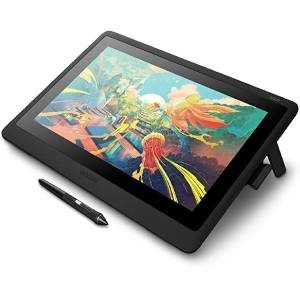
With Wacom One, you get more than just a pen display: you have everything you need to get started. Purchase & register your Wacom One to get free access to Adobe Photoshop & Lightroom for perfecting images (2-month membership); Bamboo Paper Pro
app for sketching, journaling & note-taking; and Clip Studio Paint Pro for drawing & painting (3 months) -
Mac/PC/Android
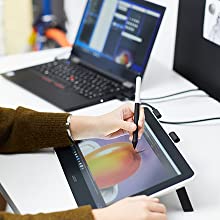
Wacom One allows for working in precise detail when drawing, sketching or jotting down notes on your Mac or Windows computer. If you’re looking to add more screen to your Android smartphone or tablet, you can easily connect it to Wacom One with
an OTG adapter (sold separately). Visit Wacom’s website for a list of compatible Android devices -
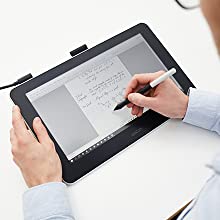
Make the Move to Digital
Feels like pen & paper, works like magic. With no need for batteries or charging, the Wacom One pen is ready when you are and feels just right in your hand. With surface friction on the HD screen, it feels like you’re drawing or writing on real
paper…so real, you’ll forget you’re doing it digitally -

Award Winner
Wacom One was recognized at the 2020 Consumer Electronics Show by Trusted Reviews and Slashgear, winning multiple awards, including “Best in Show”. Additionally, CNET listed Wacom One as one of their select few “Useful Gear for Working from Home”.
-
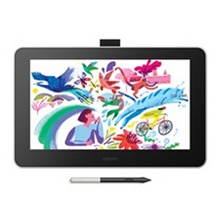
Drawing/Sketching
Imagine a pen that can be whatever you want at the click of a button (paintbrush, marker, pencil, chalk) & a screen on which you can undo any mistake
-
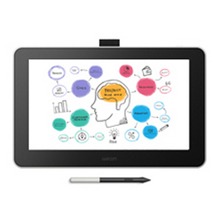
Visual Thinking
With the familiar feeling of pen on paper, Wacom One lets you capture ideas, create mind-maps, draw diagrams & share them with colleagues and friends
-
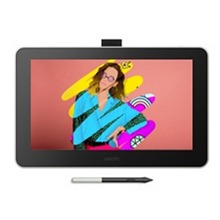
Photo/Video Enhancing
Connect your phone to Wacom One and, with the ease of a pen, edit/personalize your photos & videos to help you stand out on your social media channels
-
Distance Learning or Remote Working
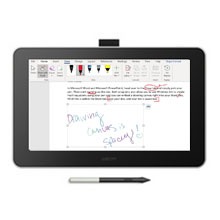
If you find yourself learning or working from a new location, you can use Wacom One to easily write, annotate documents or convey ideas to students or colleagues when web-conferencing.
Technical Specifications
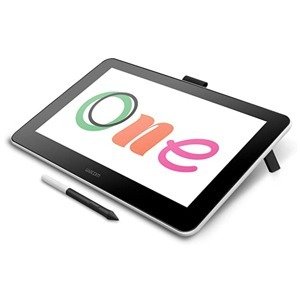
- Model Code : DTC133
- Screen Size : 13.3 Inches
- Resolution : 1920 x 1080 pixels
- Pressure Levels : 4096
- Battery- free Pen
- Natural Tilt Support
- 19 degrees using built-in, fold-out legs
- Compatibility : Windows, Android™, Mac
- Warranty : 1 Year from Wacom India.
Features
-
Included Software
With Wacom One, you get more than just a pen display: you have everything you need to get started. Purchase & register your Wacom One to get free access to Adobe Photoshop & Lightroom for perfecting images (2-month membership); Bamboo Paper Pro
app for sketching, journaling & note-taking; and Clip Studio Paint Pro for drawing & painting (3 months) -
Mac/PC/Android
Wacom One allows for working in precise detail when drawing, sketching or jotting down notes on your Mac or Windows computer. If you’re looking to add more screen to your Android smartphone or tablet, you can easily connect it to Wacom One with
an OTG adapter (sold separately). Visit Wacom’s website for a list of compatible Android devices -
Make the Move to Digital
Feels like pen & paper, works like magic. With no need for batteries or charging, the Wacom One pen is ready when you are and feels just right in your hand. With surface friction on the HD screen, it feels like you’re drawing or writing on real
paper…so real, you’ll forget you’re doing it digitally -
Award Winner
Wacom One was recognized at the 2020 Consumer Electronics Show by Trusted Reviews and Slashgear, winning multiple awards, including “Best in Show”. Additionally, CNET listed Wacom One as one of their select few “Useful Gear for Working from Home”.
-
Drawing/Sketching
Imagine a pen that can be whatever you want at the click of a button (paintbrush, marker, pencil, chalk) & a screen on which you can undo any mistake
-
Visual Thinking
With the familiar feeling of pen on paper, Wacom One lets you capture ideas, create mind-maps, draw diagrams & share them with colleagues and friends
-
Photo/Video Enhancing
Connect your phone to Wacom One and, with the ease of a pen, edit/personalize your photos & videos to help you stand out on your social media channels
-
Distance Learning or Remote Working
If you find yourself learning or working from a new location, you can use Wacom One to easily write, annotate documents or convey ideas to students or colleagues when web-conferencing.
Technical Specifications
- Model Code : DTC133
- Screen Size : 13.3 Inches
- Resolution : 1920 x 1080 pixels
- Pressure Levels : 4096
- Battery- free Pen
- Natural Tilt Support
- 19 degrees using built-in, fold-out legs
- Compatibility : Windows, Android™, Mac
- Warranty : 1 Year from Wacom India.
Reviews
There are no reviews yet.


Related products
-
Graphic Tablets
HUION Kamvas 24 Plus Graphics Tablet with Screen
Original price was: ₹89,000.00.₹75,000.00Current price is: ₹75,000.00. (Inclusive of GST) -
Graphic Tablets
HUION Kamvas 22 Plus Graphics Drawing Tablet with Screen
Original price was: ₹80,000.00.₹49,990.00Current price is: ₹49,990.00. (Inclusive of GST) -
Graphic Tablets
Wacom Intuos Pro Large, (PTH-860/K0-CX) Black
Original price was: ₹37,499.00.₹35,990.00Current price is: ₹35,990.00. (Inclusive of GST) -
Graphic Tablets
Wacom Cintiq 16 Drawing Tablet With Screen
Original price was: ₹69,775.00.₹61,990.00Current price is: ₹61,990.00. (Inclusive of GST)
Reviews
There are no reviews yet.